

Reliable email, properly configured
New email setup, choosing between Google and Microsoft, migrations, spam and delivery issues — we handle the technical detail so your mail simply works.
- New mailbox setup & domain configuration
- Migrations between providers, with minimal disruption
- Spam filtering & deliverability fixes
Microsoft 365 tools, installed and set up properly
Installation of Microsoft 365 desktop apps for top-tier word processing and spreadsheet capability — configured for your team from day one, not left to figure out themselves.
- Word, Excel, PowerPoint & Outlook, properly licensed
- Teams, SharePoint & OneDrive set up for collaboration
- Device installation across desktop, laptop & mobile

The right subscription tier, not oversold
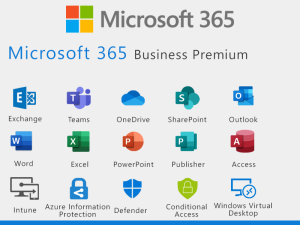
Access the full Microsoft suite — email hosting, storage and essential Microsoft 365 apps, tailored to your business. We recommend the licence tier that fits how your team actually works, not the most expensive one.
- Licence tier matched to how your team works
- Cloud storage & secure file sharing
- Ongoing management as your team grows
Set up for secure, scalable collaboration
Multi-factor authentication, sensible access permissions and sensible defaults are configured from the outset, so your team can collaborate confidently without exposing the business.
- Multi-factor authentication configured as standard
- Sensible sharing & permission defaults
- Ongoing management, not a one-off setup — including what to do when someone leaves
Cloud infrastructure that scales
As your team grows, your Microsoft 365 environment grows with it — no re-platforming, no disruption.
Microsoft 365 questions
You should. The tenant and its global administrator account belong to your business, not to your IT provider. If an IT company holds your tenant in a way you cannot get back, that is a problem worth fixing now rather than when you want to move.
Business Standard gives you the Office apps, Exchange, Teams, SharePoint and OneDrive. Business Premium adds the security and device management layer, including Microsoft Defender and Intune. If you care about securing devices and accounts properly, Premium is usually the one.
No. If you already hold licences we will work with what you have. You should not pay twice for the same thing, and we will factor existing licences into any quote.
Yes. Mail, contacts, calendars and files can all be migrated. The work is in planning it so nothing is lost and the changeover lands at a sensible time for your business.
Only if you have a backup that is independent of Microsoft. Microsoft 365 is not backed up by default in the way most businesses assume. Cloud backup for Microsoft 365 is included in every REONEX plan.
Both. Buying the licence is the easy part. The value is in multi-factor authentication, conditional access, mail flow and sharing settings being configured properly, which is where most tenants are left half-finished.
Know a business that needs this? Refer them to REONEX and we’ll pay you 15% of their monthly support fee, every month they stay with us. Refer a business